Product details
Download RipX DAW PRO 8, the AI DAW from Hit’n’Mix that edits audio the way MIDI is edited. A mixed recording becomes a Rip: stems, notes, chords and harmonics, all individually editable. Split songs into stems, fix single notes inside chords, remove noise, reshape timbre, and build new tracks from generated starting points — on Mac and Windows.
This PRO edition includes the complete toolset: Audioshop manipulation, the Harmonic Editor, clean-up and repair, unpitched editing, RipScripts and RipLink. Version 8 adds Track Starters, RipLoops, one-click looping, chord progression tools, 11 new effects and a refreshed interface that keeps sessions moving.
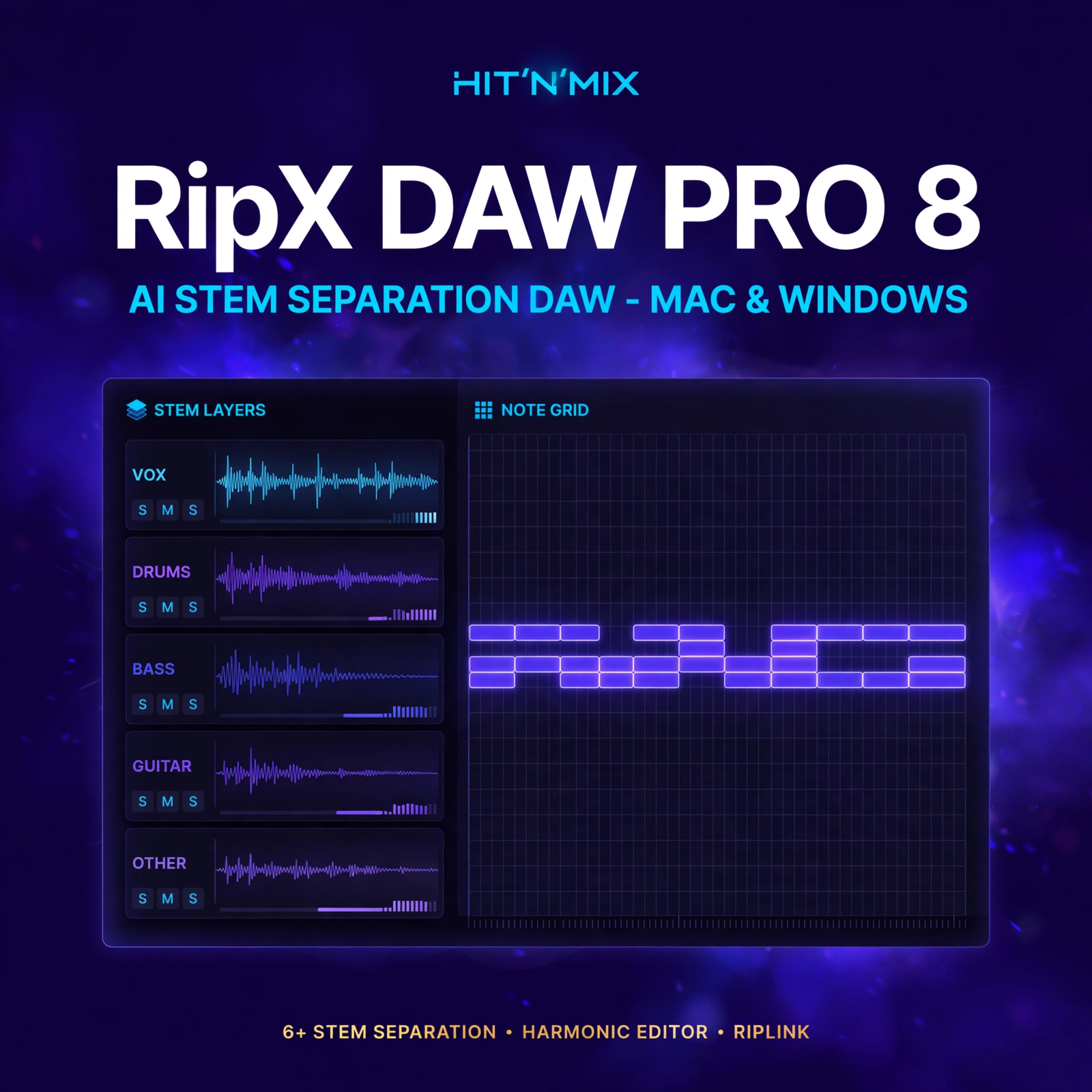
AI stem separation into 6+ editable stems
RipX DAW PRO 8 separates any mixed audio file into six or more stems using award-winning AI. Extract vocals for a remix, pull drums from a loop, isolate a bass line, or create an instrumental version — then edit every stem note by note. Harmonic-level separation keeps results clean where instruments overlap in frequency, and each stem can be exported on its own or as part of a finished mix.
Note-level control changes what is possible with finished audio. Correct one flat note in a harmony, retime a single drum hit, lift the quiet notes in a performance, or delete stray sounds between notes. The music stays musical because you are editing notes, not painting over a waveform.
Chords, harmony and the Harmonic Editor
Chord progression tools and automatic chord detection make harmony editable across a track. Change chords by moving notes, add harmony from real notes in the recording, and use Pitch To Scale for transparent pitch correction. The Harmonic Editor then opens the finest level of detail: the actual harmonics of each note, editable directly to remove noise, adjust timbre or create new sounds.
Clone transfers a performance’s character between notes — vibrato, timbre and panning from one expressive note applied to the rest. Draw Pitch adds slides and fine tuning by dragging, and Smooth Region blends expression across phrases so edits disappear into the performance.
Audioshop, repair and RipScripts
Audioshop tools cover the daily editing work: Draw Sound paints notes, drums and samples onto a Rip; Split and Join reshape notes; Apply Pattern adds pitch, formant, volume and panning movement; Edit Unpitched gathers all unpitched sound for separate editing. Clean & Repair removes background noise, hum and artifacts, restores bass by regenerating fundamental harmonics, and tames sibilance with the De-Esser. RipScripts, the built-in Python scripting language, automates edits and builds custom tools for advanced users.
New in version 8
Track Starters autogenerate editable musical templates matched to your scale and chord progression — instant song sketches that stay fully editable. RipLoops add generated loops and transitions. Loop any selection with one click. Eleven new effects join the rack: RipTone, RipTrip, RipVibe, Pitch To Chord, Transient Shaper, Auto-Pan, Hall Reverb, Tape Echo, Shimmer, Bitcrush and Granular. New sounds and loops are included, toolbars are context-aware, and RipX for iPhone compatibility adds REACT FX & Sounds.
Works with your DAW
RipX DAW PRO 8 is a standalone DAW that hosts VST and VST3 plug-ins. RipLink (VST3/ARA2 and AudioSuite) links it with Pro Tools, Studio One, Cubase/Nuendo, Reaper and Cakewalk, and it can be configured as the external sample editor in Logic Pro, Ableton Live, FL Studio, ACID Pro, Digital Performer and Mixcraft. Audio-to-video editing is available on macOS.
System requirements for RipX DAW PRO 8 on Mac and Windows
RipX DAW PRO 8 requires macOS 10.15 or later (2012 and later models, including Apple Silicon M1 onwards) or 64-bit Windows 10/11. Minimum: 2-core 2.5GHz CPU, 8 GB RAM, 20 GB free disk space. Recommended: 4+ core CPU or Apple Silicon M1, 16+ GB RAM, 20 GB free disk space. Faster ripping on Windows uses an NVIDIA GeForce GPU (1070 to 50XX series) with 16 GB RAM. Activation requires internet the first time and at least once every 15 runs; offline activation is available on request, and the licence may be installed on up to two computers belonging to the registered owner.
Frequently asked questions about RipX DAW PRO 8
Is this download for Mac and Windows? Yes. One licence covers both Mac and Windows with the same PRO features.
What does PRO add? Audioshop, Harmonic Editor, clean-up and repair, unpitched editing, RipScripts, RipLink and advanced stem/AI clean-up.
Can it host plug-ins? Yes — RipX DAW PRO 8 hosts VST and VST3 plug-ins as a standalone DAW.
Is there a free trial? Hit’n’Mix offers a 21-day free trial from its website. This listing is the full paid licence.

There are no reviews yet.