Product details
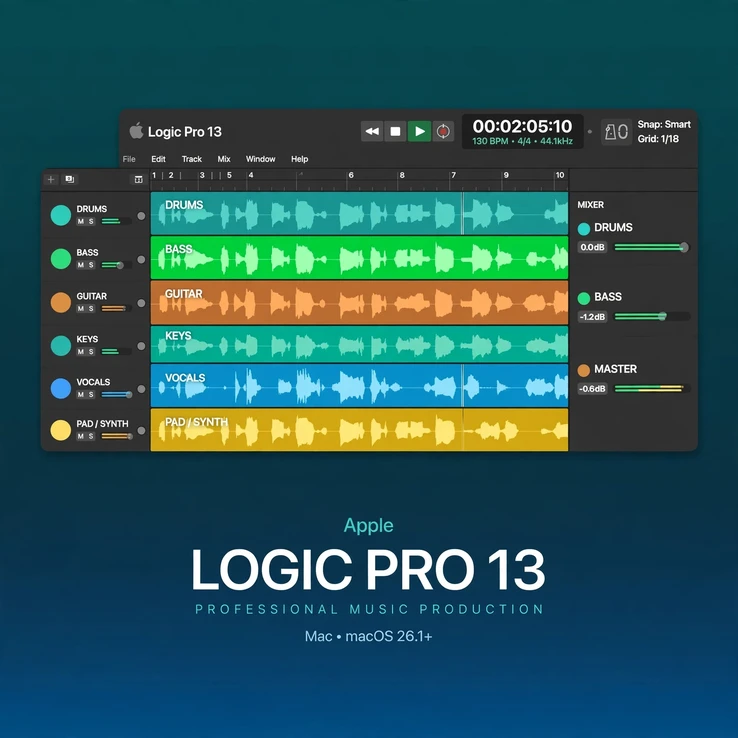
Logic Pro 13 Mac is Apple’s new flagship digital audio workstation, released on November 5, 2026. Logic Pro 13.0 gives Mac producers a complete professional studio in one app: record, write, arrange, mix and master music with a redesigned Liquid Glass interface, a unified browser, an enhanced Stem Splitter and the new Play Surface — all built for Apple silicon.
Whether you are producing pop, hip-hop, EDM, film scores or rock, Logic Pro 13 Mac keeps your whole workflow in one place. Its huge library of instruments, Apple Loops and studio effects helps you start tracks fast, while deep editing, mixing and mastering tools give you full control over the finished sound, from the first sketch to the final master.
Please note: the AI Intelligent Assistant (beta) is not included in the one-time purchase version of Logic Pro 13. The AI Intelligent Assistant (beta) requires an Apple Creator Studio subscription, an Apple silicon Mac and macOS 27. If you buy the one-time purchase version, you get Logic Pro 13.0 itself — including the Liquid Glass design, unified browser, enhanced Stem Splitter and Play Surface — but not the AI Intelligent Assistant (beta).
Table of Contents
What’s New in Logic Pro 13 Mac
- Liquid Glass design: a fresh, translucent new look across Logic Pro 13 that keeps your music front and centre while making the interface feel lighter and more modern.
- Unified browser: sounds, loops, plug-ins and presets now live in one streamlined browser, so you can find the right sound quickly and stay in your creative flow.
- Enhanced Stem Splitter: split a mixed track into separate stems, now with drum kit-piece separation — isolate kick, snare, hi-hats and other drum pieces from a drum recording or mix.
- Play Surface: a new performance-style surface for playing and shaping your music in real time, turning Logic Pro 13 into a hands-on instrument as well as a studio.
Key Features of Logic Pro 13 Mac
- Professional DAW built exclusively for macOS and Apple silicon
- Complete recording, MIDI sequencing, arranging, mixing and mastering workflow
- Massive library of virtual instruments, synthesizers, drum kits, orchestral sounds and Apple Loops
- Studio-grade EQs, compressors, reverbs, delays, modulation effects and automation
- Enhanced Stem Splitter with drum kit-piece separation
- New Play Surface for live, hands-on music performance
- Unified browser for sounds, loops and plug-ins
- Ideal for producers, songwriters, composers and engineers
System Requirements
Platform: Mac only (not available for Windows)
Processor: Apple silicon
Operating system: macOS 26.1 or later
Storage: large sound library — SSD recommended
Apple offers Logic Pro 13.0 as a $199.99 one-time purchase on the Mac App Store, or as part of Apple Creator Studio for $12.99 per month. The AI Intelligent Assistant (beta) is only available with the Creator Studio subscription, on Apple silicon with macOS 27.
Why Choose Logic Pro 13 Mac
- Apple’s latest DAW, released November 5, 2026, with the newest workflow and design
- One app for the whole production process, from first idea to finished master
- Fast, stable performance on Apple silicon Macs, even in large sessions
- Perfect for songwriting, beat-making, live recording, film scoring and sound design
Already using an earlier version? Compare with Logic Pro 12, the previous release of Apple’s flagship DAW for Mac.
FAQs
Is Logic Pro 13 available for Windows?
No. Logic Pro 13 is Mac only and cannot be installed on Windows.
Does the one-time purchase include the AI Intelligent Assistant?
No. The AI Intelligent Assistant (beta) is not included in the one-time purchase version. It requires an Apple Creator Studio subscription, plus Apple silicon and macOS 27.
What does the enhanced Stem Splitter do?
It separates a mixed track into individual stems, and in Logic Pro 13 it can also separate a drum kit into its individual pieces, such as kick, snare and hi-hats.
What is Play Surface?
Play Surface is a new performance-style feature in Logic Pro 13 that lets you play and shape music in real time.
What Mac do I need for Logic Pro 13?
You need an Apple silicon Mac running macOS 26.1 or later.


There are no reviews yet.