Product details
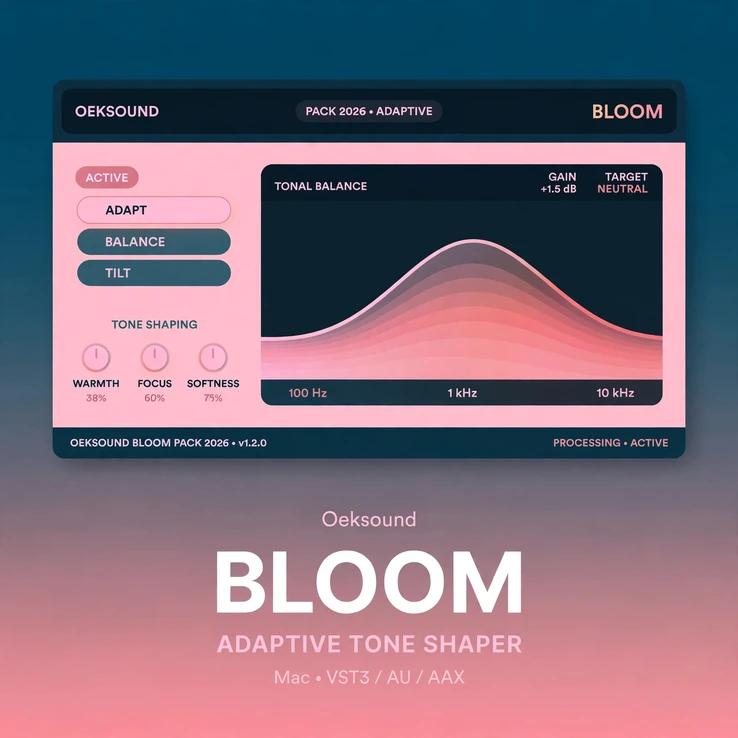
oeksound bloom mac is an adaptive tone shaper for Mac. It analyses the character of a signal and applies corrections to its perceived tonal balance, so the result sounds more even and refined. Released in March 2024, it is Oeksound’s most complex processor, and it works in a different way from a standard equaliser.
Contents
- Why oeksound bloom mac works so well
- How oeksound bloom mac listens and corrects
- Four tone controls in oeksound bloom mac
- Squash mode in oeksound bloom mac
- Using oeksound bloom mac on vocals and instruments
- oeksound bloom mac on buses and the master
- Low-latency tracking with oeksound bloom mac
- Key features
- System requirements
- Frequently asked questions
Most mixes do not need more EQ moves. They need a better sense of balance. A vocal can be bright in one phrase and dull in the next. A guitar can sound full on its own and muddy in the mix. A drum bus can feel big at first and boomy a moment later. Static EQ settings cannot follow those changes, because the signal keeps changing.
oeksound bloom mac follows the signal instead. It listens to what is playing, judges its tonal character, and adjusts the balance as the sound changes. The aim is simple: a tone that stays even from the first note to the last, without sounding processed.
Use it at the start of a chain to shape a sound, or at the end to finish it. Use it on a single track, a bus, or a full mix. If you need to tame sharp, moving resonances first, pair it with oeksound soothe3 mac, Oeksound’s dynamic resonance suppressor. Bloom then shapes the overall tone, while Soothe3 deals with the harsh peaks.
Why oeksound bloom mac works so well
oeksound bloom mac starts from a question that a normal EQ cannot answer: what should this sound feel like? A fixed EQ boost adds the same amount at the same frequency, no matter what is playing. That can help in one bar and hurt in the next. Bloom works the other way round. You set the tonal shape you want, and Bloom moves toward that shape only as far as the signal needs.
That makes it useful on sounds that change a lot. A singer moves closer to the microphone. A guitarist changes pickup. A synth patch opens its filter. In each case, the balance shifts. oeksound bloom mac notices the shift and corrects it, so the track keeps its place in the mix.
The result is a sound that feels finished sooner. You spend less time chasing frequencies with several EQ bands. You hear a vocal that stays present, a bass that stays solid, and a mix that stays open. The corrections are meant to be felt more than heard, so the source still sounds like itself.
This is why Bloom suits both quick decisions and careful finishing work. On a rough track, it can turn a dull or uneven sound into a usable starting point in a few moves. On a good track, it can add the last bit of polish that makes the tone feel complete.
How oeksound bloom mac listens and corrects
oeksound bloom mac analyses the incoming signal and builds a picture of its tonal character. It then compares that picture with the shape you have set. Where the sound has too much energy, it pulls it back. Where the sound is thin, it fills it out. It does this with boosts and cuts that act only when they are needed.
Those corrections are selective. Bloom can reduce energy that builds up in one area and reveal detail that was hidden behind it. It can add brightness to a vocal without bringing out sibilance. It can add weight to a sound without making it boomy. The goal is a tone that is bright without being shrill, and big without being muddy.
Because the corrections follow the signal, they stay musical. A loud note does not get the same treatment as a quiet one. A short transient does not get the same treatment as a sustained chord. oeksound bloom mac treats the sound as it is at each moment, so the balance stays even as the performance moves.
That adaptive approach is what makes Bloom different from a static EQ or a fixed tone preset. You are not painting over the sound with one curve. You are giving it a target, and letting the processor guide the tone toward that target, moment by moment.
Four tone controls in oeksound bloom mac
oeksound bloom mac gives you four tone controls: lows, low mids, high mids, and highs. Together, they describe the overall tonal balance Bloom works toward. They are not absolute EQ settings. Each one sets how far Bloom should push the tone in that part of the spectrum.
Start with the lows if a sound feels thin or heavy. A little more low end can give a vocal or a bass line a solid base. A little less can clear space for other instruments. Then move to the low mids, where mud and boxiness often live. A small change here can make a guitar, a piano, or a full mix feel cleaner.
The high mids carry presence and bite. They are where a vocal cuts through, and where a snare or a guitar can sound harsh. oeksound bloom mac lets you add presence without adding harshness, because it only applies the change when the signal needs it. The highs add air and openness. A gentle lift can make a mix feel wider and more alive.
Work with one control at a time and listen to the whole track, not just the soloed sound. Small moves often do more than big ones. When the four controls are set well, the sound feels balanced in the mix, not just on its own.
Squash mode in oeksound bloom mac
Turn the Amount control up far enough and oeksound bloom mac enters Squash mode. In this mode, Bloom uses frequency-dependent upward and downward compression to reduce the overall dynamic range and mold the sound more firmly toward your chosen shape.
Squash mode is useful when a sound is uneven in level as well as in tone. A vocal that jumps between soft and loud phrases can feel more controlled. A bus that peaks in different places can feel more glued together. The sound gets denser and more forward, without the flat, lifeless feel that heavy static compression can bring.
It also adds a touch of grit. Squash mode can give a track a little extra attitude, without the obvious colour of a saturator. Use it in small amounts for control, or push it further for a deliberate, squeezed character. Either way, the four tone controls still set the direction, so you keep control of the balance.
Using oeksound bloom mac on vocals and instruments
Vocals are where oeksound bloom mac shows its value most clearly. A lead vocal needs to stay bright, warm, and present through every phrase. Bloom can lift the top end when a phrase goes dull, and hold back the lows when the singer gets close to the microphone. The vocal stays in front, without sounding hyped.
It also helps on backing vocals and dialogue. A group of voices can have a different balance in every line. Bloom evens out those differences, so the group sounds like one part instead of several competing tracks. The same idea works on spoken word and podcasts, where a voice needs to stay clear and even over a long take.
On instruments, use oeksound bloom mac to shape the tone before you reach for other processors. A guitar can gain clarity in the high mids without turning brittle. A piano can gain warmth in the lows without turning muddy. A synth can gain brightness in the highs without turning thin. A drum bus can gain punch and weight, while keeping the cymbals open.
Because Bloom reacts to the signal, it suits sounds that change over time. A distorted guitar that varies in intensity, a bass that plays across its full range, and a drum loop with loud and quiet hits all benefit from corrections that follow the music.
oeksound bloom mac on buses and the master
On a bus, oeksound bloom mac can give several tracks a shared tone. A drum bus, a vocal bus, or a guitar bus can sound more like one instrument and less like a collection of parts. Set the tone for the group, and let Bloom keep each track inside that shape as the arrangement changes.
On the master, use it with care and with small moves. A gentle correction can bring a mix together, adding warmth, clarity, or brightness in a safe and controlled way. It can help a mix that feels dull in the verse and harsh in the chorus find one consistent tone. It is not a replacement for a good mix, but it can be the final step that makes the mix feel finished.
Try it as a starting point as well as a finishing tool. Bloom on the official Oeksound site is described as what its makers wish an EQ would do, and that is a good way to use it: set a broad, musical shape first, then decide what else the track needs. If the tone is already close, you may find that you need less EQ, less compression, and fewer fixes later in the chain.
Low-latency tracking with oeksound bloom mac
oeksound bloom mac includes a low-latency mode for tracking. It lets you record through Bloom with the tonal shaping in place, so the performer hears a tone that is close to the finished sound. That matters when a singer or player needs confidence in the headphones to give their best take.
Use the standard mode for detailed mixing, where the full adaptive processing can work at its best. Use low-latency mode when timing matters most, such as live sessions and vocal tracking. Both modes use the same four tone controls, so a shape you find while tracking can carry straight into the mix.
Key features
- Adaptive tone shaping that analyses the signal and corrects its perceived tonal balance
- Four tone controls for lows, low mids, high mids, and highs
- Boosts and cuts that act only when the signal needs them
- Squash mode with frequency-dependent upward and downward compression
- Amount control for gentle shaping or firmer, more forward results
- Low-latency mode for tracking and live monitoring
- Warmth, clarity, or brightness added in a safe, controlled way
- Works on single tracks, buses, and full mixes
- Useful as a starting point for shaping a sound, or as a finishing touch
- Natural-sounding results that keep the source sounding like itself
System requirements for oeksound bloom mac
This is the Mac-only version. It runs on macOS 10.14 Mojave through macOS 27. It supports Apple Silicon, and Intel Macs up to macOS 15. You need an Intel Core i5 processor or better, and at least 8 GB of RAM.
Formats: VST3, AU, and AAX (Pro Tools 2018.1 and later). Use it in your Mac DAW of choice. Check your DAW for the latest format support, and keep macOS up to date for best results.
An iLok account is required for authorisation, as with other Oeksound plugins. You also need the free iLok License Manager software. A physical iLok dongle is not required. You need internet access for the first activation. One licence can be used on up to three computers.
Frequently asked questions
Is oeksound bloom mac only for Mac?
Yes. This listing is for the Mac version only. It runs on macOS 10.14 and later, on Apple Silicon and on Intel Macs up to macOS 15.
What is oeksound bloom mac?
It is an adaptive tone shaper from Oeksound, released in March 2024. It analyses the character of a signal and applies corrections to its perceived tonal balance, for a more even, refined sound.
Is oeksound bloom mac the same as Bloom by KSHMR?
No. They are different products from different makers. This listing is for Bloom by Oeksound, the adaptive tone shaper. Bloom by KSHMR is a different plugin.
Can I use oeksound bloom mac on a full mix?
Yes. Use it on single tracks, buses, and full mixes. On the master bus, use small moves and listen to the whole mix, not just one section.
What is Squash mode?
Squash mode starts when you turn the Amount control up far enough. It uses frequency-dependent upward and downward compression to reduce dynamic range and mold the sound more firmly toward your tone shape, and it can add a little grit.
Can I track through oeksound bloom mac?
Yes. Use the low-latency mode for tracking and live monitoring. Use the standard mode for detailed mixing.
Do I need iLok for oeksound bloom mac?
Yes. An iLok account is required for authorisation, and you need the free iLok License Manager. A physical iLok dongle is not required.
Can I try Bloom before I buy?
Yes. Oeksound offers a fully featured 20-day trial from its own site. This listing is for the full Mac licence.





There are no reviews yet.